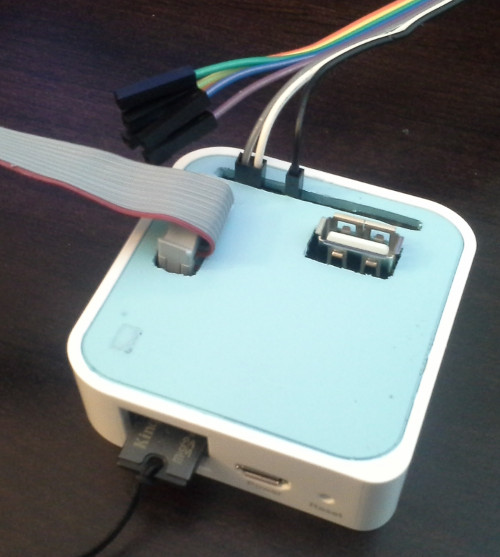
 The TP-Link WR703N Expander is an open source hardware extension to the TP-Link WR703N. It was created by Kean Electronics (http://www.kean.com.au/) and can be purchased from Seeed Studio (http://www.seeedstudio.com/). I won’t go into the details of what the Expander includes and what you can do with it. This article details how I created my own enclosure for the Expander since I don’t have a 3D printer and I didn’t want to purchase the enclosure from one of the 3D printer fabrication sites.
Since the goal of the Expander project was to match the form factor of the WR703N I saw no reason why I couldn’t re-purpose one of the WR703N cases to house the Expander. While it is the same form factor the positioning of the usb, serial, and io ports required modification to the case. The only case modification I wanted to do was to the lid. However, the location of one of the USB A ports would require modification of the case itself which I did not want to do (outside of some internal modifications to properly fit the Expander). The location of the USB A port in question is near the Micro USB port of the WR703N used to power the device. So instead of soldering the USB header that comes with the Expander kit I jerry rigged a Micro USB header using some wire and hot glue. As you can see from the pictures below it turned out pretty nice and functions the same as the original header with the adapter cable I created.


Cutting the holes in the lid is a pain in the ass but using a dremel, drill, x-acto knife, plyers, and a rasp I’m able to get okay shaped right-angled holes. But I did go through three lids before I was comfortable with the outcome!